Works on Chrome, Brave, Edge, and all Chromium-based browsers. Firefox is not currently supported.
🔒100% Private — runs locally
✦No Account needed
∞Free Forever · Open Source
⚡Instant AI responses
Features
Everything you need to study smarter
One extension. Zero extra setup. Completely free. Just install, capture, and ask.
📸
Screenshot Capture
Capture any tab instantly. Ask the AI to explain diagrams, slides, PDFs, or anything on your screen.
🎙️
Audio Transcription
Record your lecture or voice note and get an instant transcript powered by Whisper — then ask questions about it.
💬
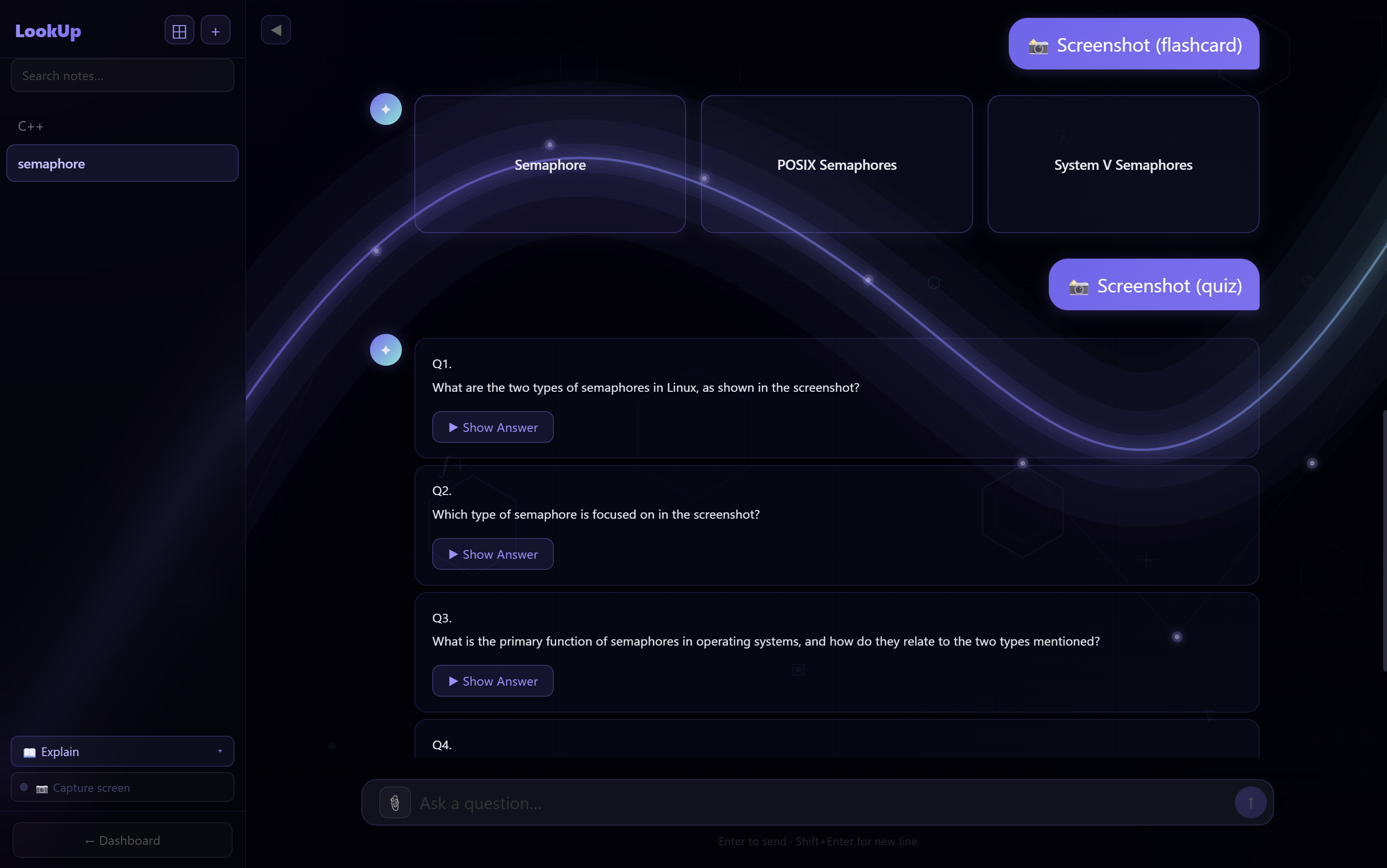
AI Chat
Multi-turn conversations with Llama 4. Attach files, images, and code — all in one thread with full history. Free to use.
📝
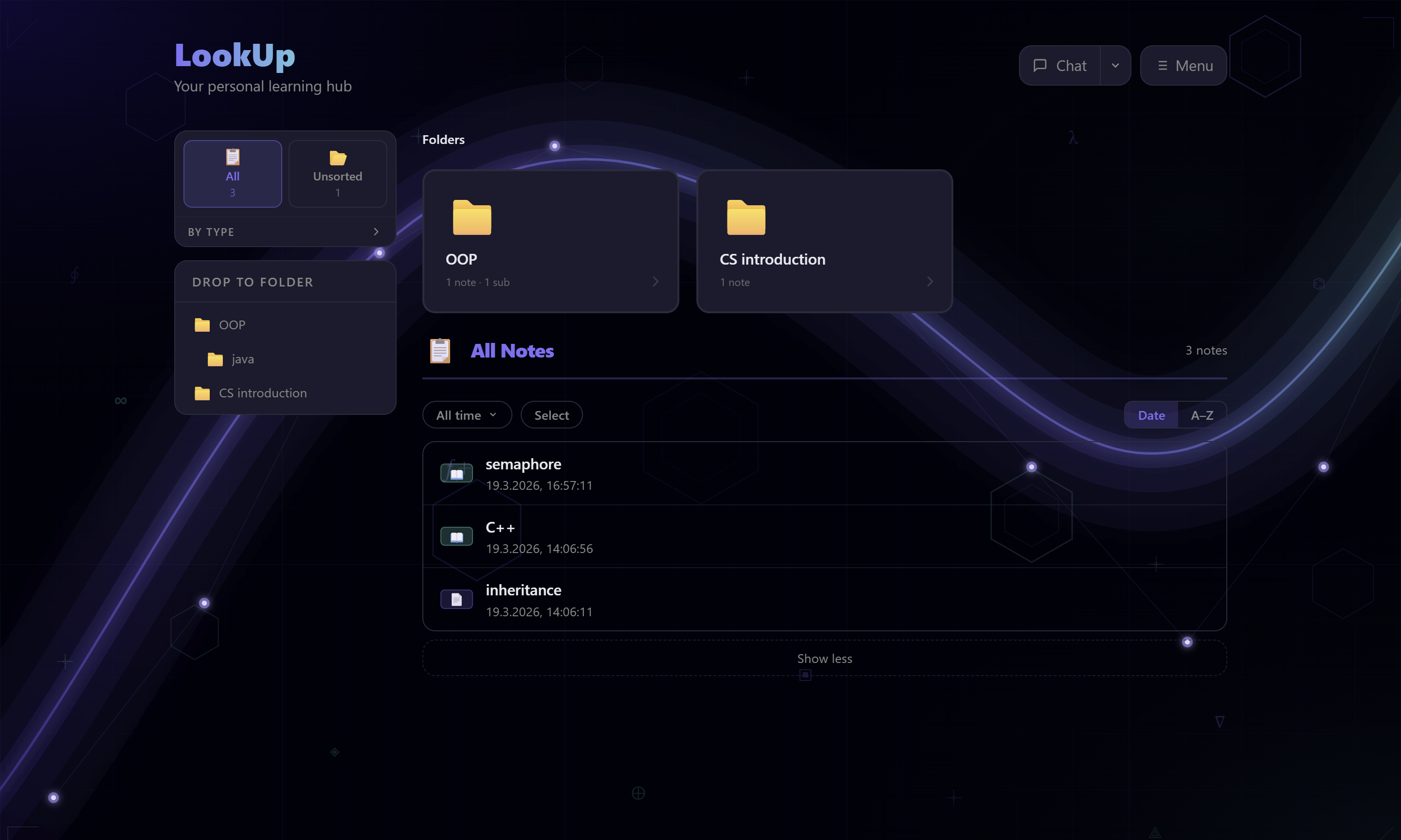
Smart Notes
Save any AI response as a note. Browse, search, and revisit your knowledge base from the built-in dashboard.
🃏
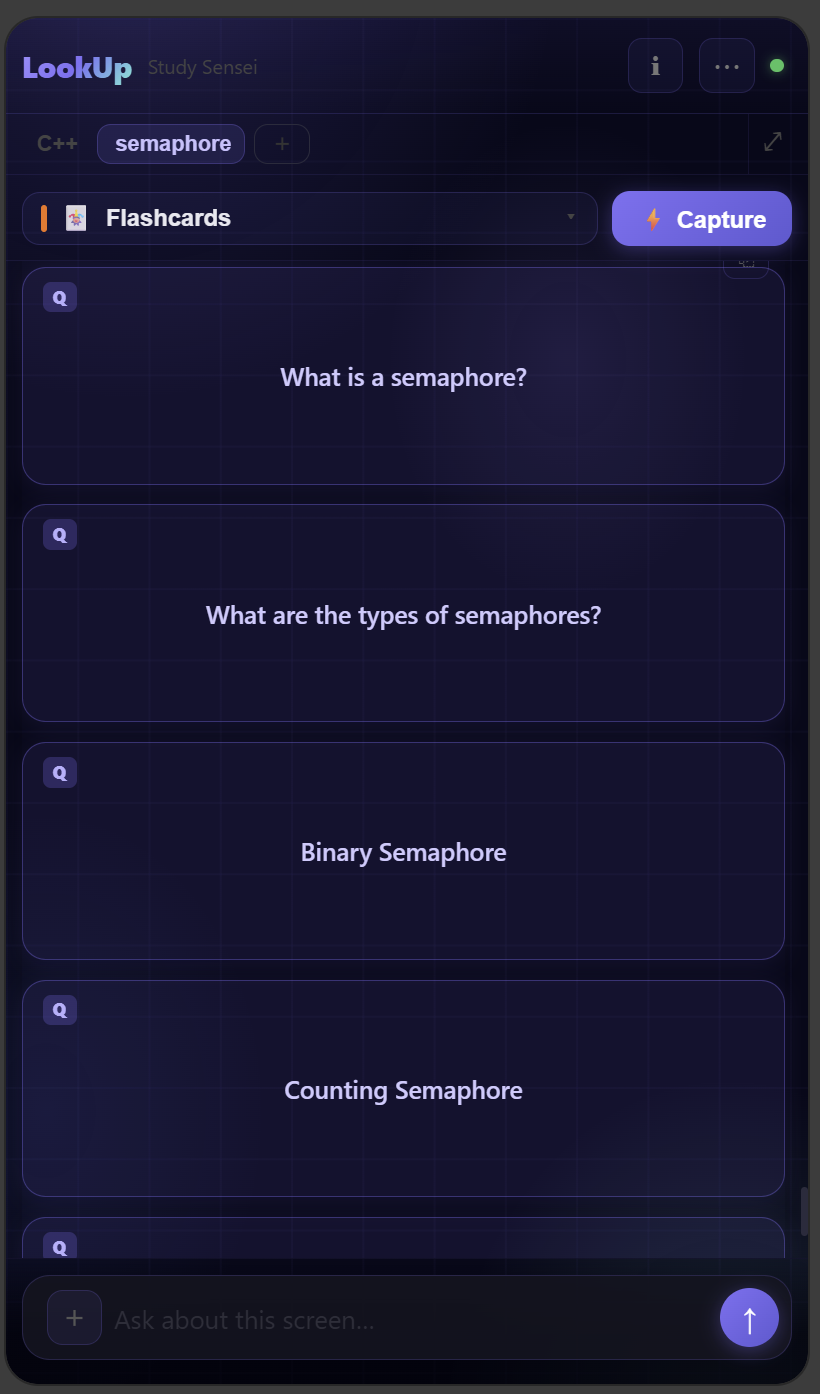
Flashcard Mode
Ask LookUp to turn any topic into interactive flashcards. Flip, review, and test yourself — all in-browser.
🧠
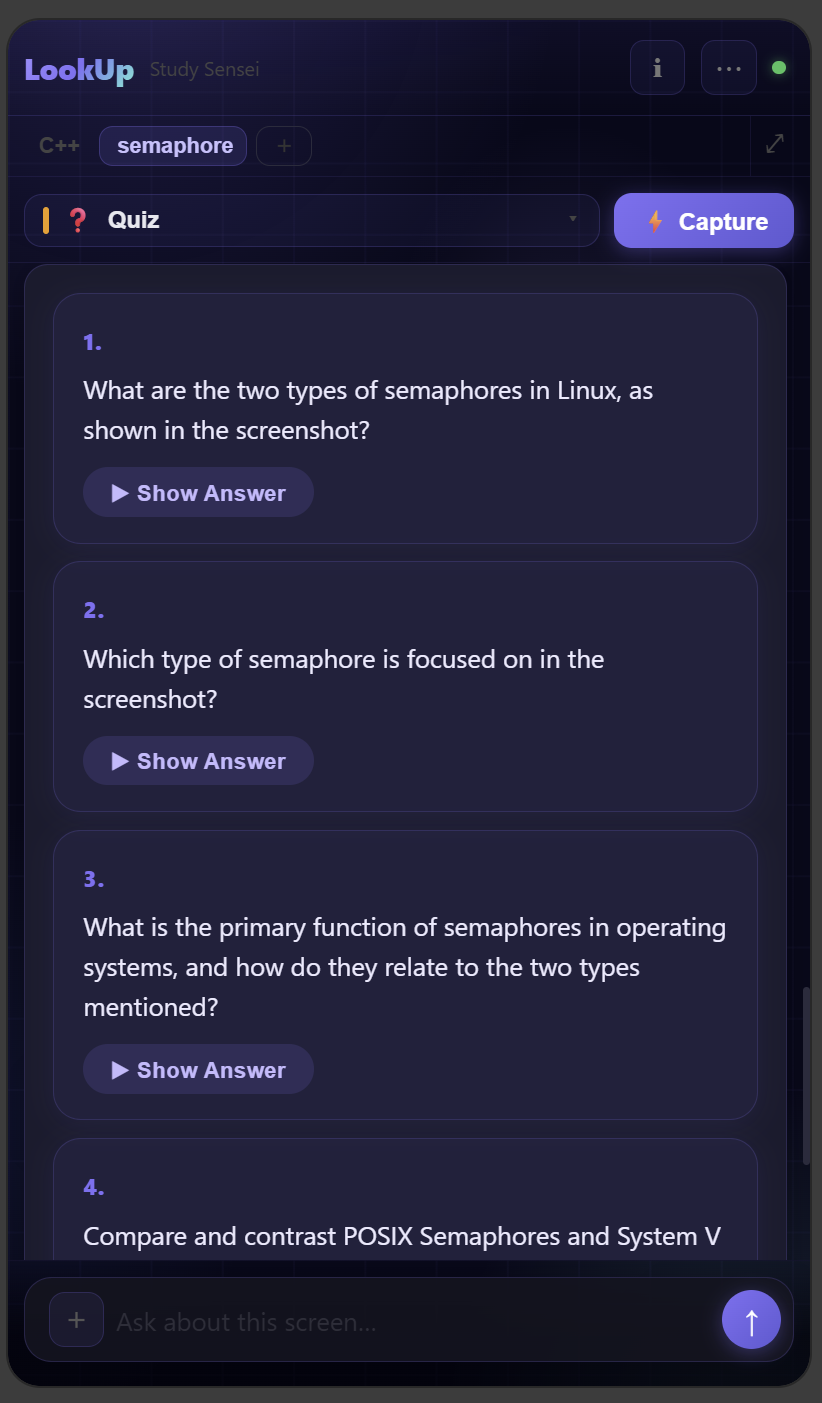
Quiz Generation
One click to convert any material into a quiz with reveal-on-demand answers. Perfect for exam prep — and completely free.
Screenshots
See it in action
From quiz generation to your personal knowledge hub — all inside Chrome.
🗂️ Dashboard
Browse all your saved notes and folders in the built-in dashboard.
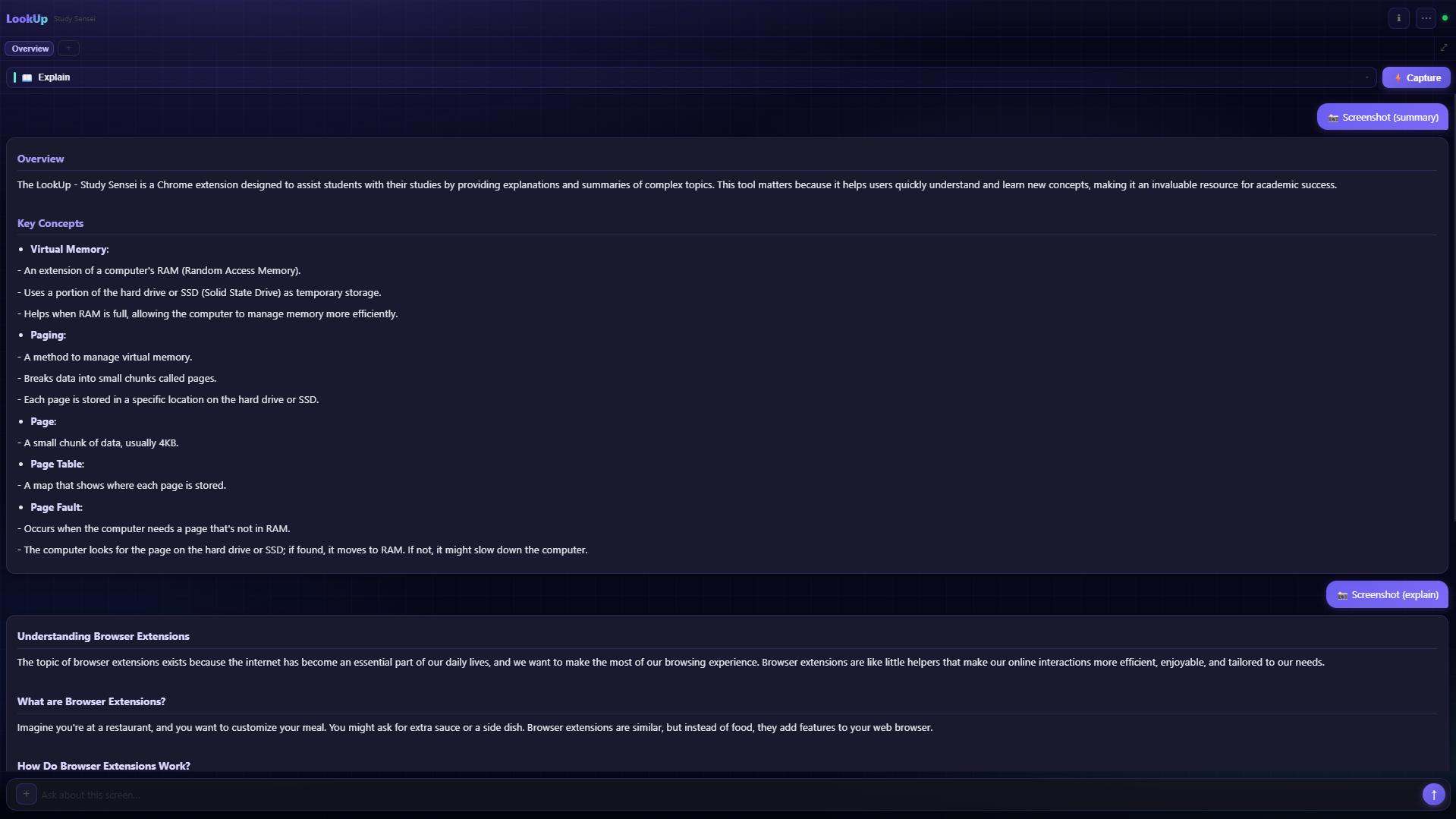
💬 AI Chat
Ask follow-up questions and get structured AI explanations.
✦ Study Sensei
Capture any screen — get summaries, quizzes, and flashcards instantly.
Tech stack
Built with modern tools
Fast, private, and entirely client-side — no backend required.
Chrome MV3 ExtensionGroq AI (llama-4-scout)Whisper Large v3 TurboReact 18ViteTailwind CSSIndexedDBSSE StreamingNode.js + Express (Classic Mode)Next.js (Dashboard)SQLite (Classic Mode)
FAQ
Common questions
Everything you need to know before you install.
Your data never leaves your device except for the AI inference call to Groq's servers (the same way ChatGPT works). Screenshots and text are sent only when you explicitly ask a question — nothing is recorded passively. Groq does not store your data beyond the request.
No account needed. Just install the extension, enter a free Groq API key (takes 30 seconds to get), and you're ready. No email, no sign-up, no subscription.
Groq offers a generous free tier — more than enough for daily study use. You create a free key at console.groq.com in under a minute. LookUp uses your key directly, so you're always in control of usage and costs.
The extension UI, notes, and conversation history all work offline. AI responses require an internet connection since they call Groq's API — but your saved notes and previous conversations are always available locally.
LookUp is a Chrome MV3 extension and works on Chrome, Brave, Edge, and any Chromium-based browser. Firefox is not currently supported. A Chrome Web Store listing is coming soon — for now, install by loading unpacked from GitHub.